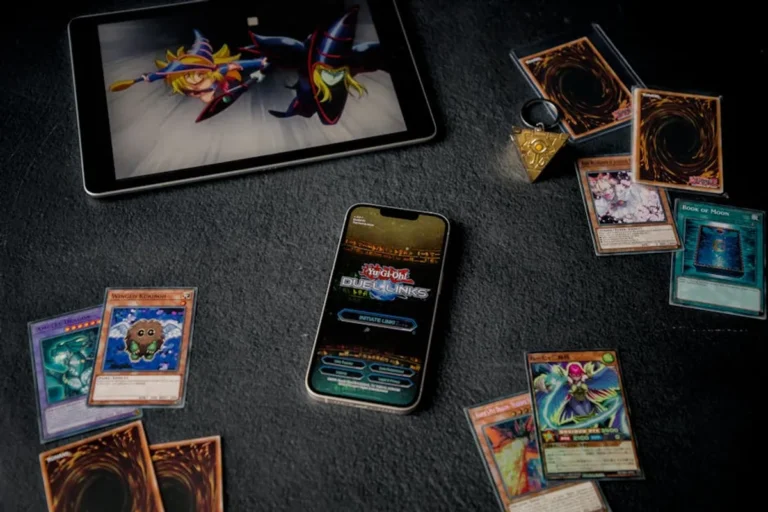

Redeeming anime game codes offers a direct path to acquiring valuable in-game assets, ranging from exclusive characters and cosmetic items to essential currency and experience boosts. These codes are frequently distributed by game publishers as part of promotional events, pre-order bonuses, anniversary celebrations, or collaborations, providing players with a tangible benefit that enhances their gameplay experience and progression. Understanding the precise steps for code redemption, along with common pitfalls and best practices, ensures that players can consistently claim their rewards without encountering issues.
Understanding Code Sources and Types
Anime game codes originate from various official and promotional channels, each designed to engage players and offer incentives. Identifying the source often provides clues about the code's validity and redemption method. Common sources include:
- Official Social Media Channels: Publishers frequently release codes through platforms like Twitter, Facebook, Discord, or YouTube during live streams, announcements, or community milestones.
- In-Game Events and Mail: Some codes are distributed directly within the game client as rewards for participation in specific events or sent to player inboxes.
- Physical Merchandise and Pre-Order Bonuses: Purchasing physical copies of games, limited edition merchandise, or pre-ordering digital versions often includes unique, one-time-use codes.
- Collaborations and Partnerships: Codes may be part of cross-promotional campaigns with other brands, anime series, or content creators.
- Gaming Websites and Forums: Reputable fan sites or official community forums sometimes host giveaways or share publicly released codes.
Codes typically unlock specific categories of rewards, such as premium currency (e.g., primogems, summon tickets), character unlocks, weapon skins, experience boosters, or unique cosmetic items. Always verify the code's source to ensure legitimacy and avoid potential scams.
In-Game Redemption Process
Many anime games integrate a direct code redemption system within their client, simplifying the process for players. While the exact navigation varies by title, the general steps remain consistent:
- Launch the Game: Open the anime game client on your preferred platform (PC, console, mobile).
- Access Settings or Profile: Navigate to the in-game settings menu. This is often represented by a gear icon, a "Menu" button, or can be found within your player profile section.
- Locate Redemption Option: Look for a specific tab or button labeled "Redeem Code," "Gift Code," "Coupon," or similar. This option might be nested under "Account," "Other," or "Support."
- Enter the Code: Carefully input the alphanumeric code into the designated text field. Pay close attention to case sensitivity, hyphens, and any special characters.
- Confirm Redemption: Tap or click the "Confirm," "Redeem," or "Submit" button.
- Claim Rewards: Upon successful redemption, a confirmation message will appear. The rewards are typically sent directly to your in-game mail, inventory, or immediately added to your account balance. Check your in-game mailbox if items don't appear instantly.
Best for: Quick, direct redemption of codes obtained while actively playing the game.
Pro Tip: Always double-check the entered code for typos, especially regarding case sensitivity and the distinction between similar characters like '0' (zero) and 'O' (letter O), or '1' (one) and 'l' (lowercase L). Many codes are case-sensitive, and an incorrect entry will result in an error.
External Website Redemption Process
Some anime games, particularly those with cross-platform availability or extensive web-based account management, require code redemption through an external website. This method is common for titles that want to streamline the process outside of the game client or for codes linked to specific web events.
- Visit the Official Redemption Portal: Navigate to the game's official code redemption website. This URL is usually provided alongside the code itself or can be found on the game's official website or social media channels.
- Log In to Your Account: You will typically need to log in using the credentials associated with your in-game account. Ensure you are logging into the correct region or server if applicable.
- Enter Account Details (if prompted): Some portals require you to select your server, character name, or user ID to ensure the rewards are sent to the correct account.
- Input the Code: Enter the redemption code into the designated field.
- Submit and Verify: Click the "Redeem" or "Submit" button. The website will usually display a confirmation message indicating success or any errors.
- Check In-Game: After successful redemption on the website, launch the game and check your in-game mail or inventory to claim the rewards. There might be a slight delay before rewards appear in-game.
Best for: Codes distributed externally, often requiring account verification or specific server selection.
Key Considerations and Troubleshooting
While code redemption is generally straightforward, several factors can prevent a successful claim. Being aware of these can save time and frustration:
- Expiration Dates: Most codes have a limited validity period. Always check the expiration date associated with the code and redeem it promptly. Expired codes cannot be reactivated.
- Region Restrictions: Some codes are region-locked, meaning they can only be redeemed on accounts associated with specific geographical areas (e.g., North America, Europe, Asia).
- One-Time Use: Nearly all codes are designed for single use per account. Attempting to redeem a code that has already been claimed will result in an error.
- Case Sensitivity: As mentioned, many codes distinguish between uppercase and lowercase letters. Always enter the code exactly as it is provided.
- Server Specificity: For games with multiple servers, ensure your account is linked to the correct server before attempting redemption, especially on external portals.
- Network Issues: A stable internet connection is crucial for both in-game and web-based redemption. Connection problems can lead to failed attempts or delays in reward delivery.
- Code Validity: If a code consistently fails, verify its authenticity and source. Illegitimate or incorrectly transcribed codes will not work.
Maximizing Your Code Value
To ensure you consistently benefit from anime game codes, integrate these practices into your routine:
Actively follow official game social media accounts, subscribe to newsletters, and join official Discord servers. These are primary channels for code distribution. Set up notifications for key announcements. When a code is released, redeem it as soon as possible to avoid expiration. Keep a dedicated note or spreadsheet for codes you've found and redeemed, along with their expiration dates. This prevents duplicate attempts and missed opportunities. Finally, be cautious of unofficial sources promising "free" or "unlimited" codes, as these are often scams designed to phish account information or spread malware. Always prioritize official channels for code acquisition.
Frequently Asked Questions
Are all anime game codes case-sensitive?
Many codes are case-sensitive, meaning "CODE" is different from "code." Always enter the code exactly as it appears, paying attention to capitalization.
How long do game codes typically remain valid?
Validity periods vary widely. Some codes expire within hours or days, especially those from live events, while others might be valid for weeks or months. Always check the stated expiration date.
What should I do if a valid code isn't working?
First, double-check for typos, case sensitivity, and ensure it hasn't expired or been previously redeemed. Verify your account's region and server. If issues persist, contact the game's official customer support with the code and details of the error.
Where is the safest place to find new anime game codes?
The safest sources are always the game's official social media channels, official websites, newsletters, and verified live streams. Avoid third-party sites promising codes without official backing.